BUILT FOR FUJI
Fujifilm turned color science into a craft. We built what the camera was missing.
A recipe is a dozen settings that only work together: the film simulation, white balance and its shift, dynamic range, highlight and shadow tone, color, sharpness, clarity, grain size and strength, noise reduction, and the toning under a monochrome. Dialing that in means walking the camera menu a dozen times, and coming back to it means remembering exactly what you did. Huginn lives before the first shutter click: choose the look, tune it, and carry the whole thing to the body in one move. Real Fuji renders, never a phone approximation.
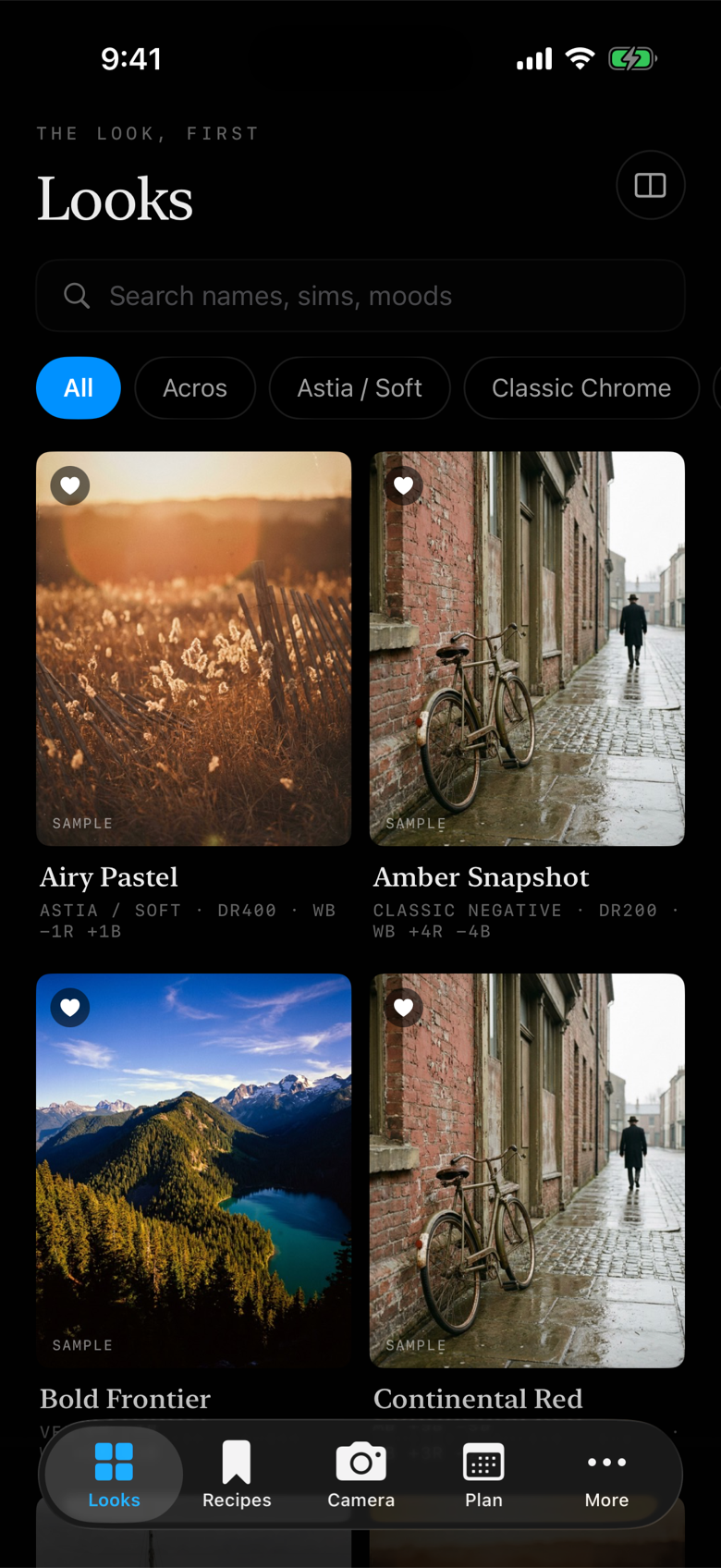
See the look before you shoot it.
The default view is a wall of sample images, each one a look you can carry to your camera. Search by name, film simulation, or mood, filter by sim, and tap through for the settings, the write-up, and the tone curve underneath.
- Sample-led cards: the feeling first, the numbers one layer down
- Search and film-simulation filters
- Every library recipe verified on a real body and credited to its maker
Film Palettes, and recipes of your own.
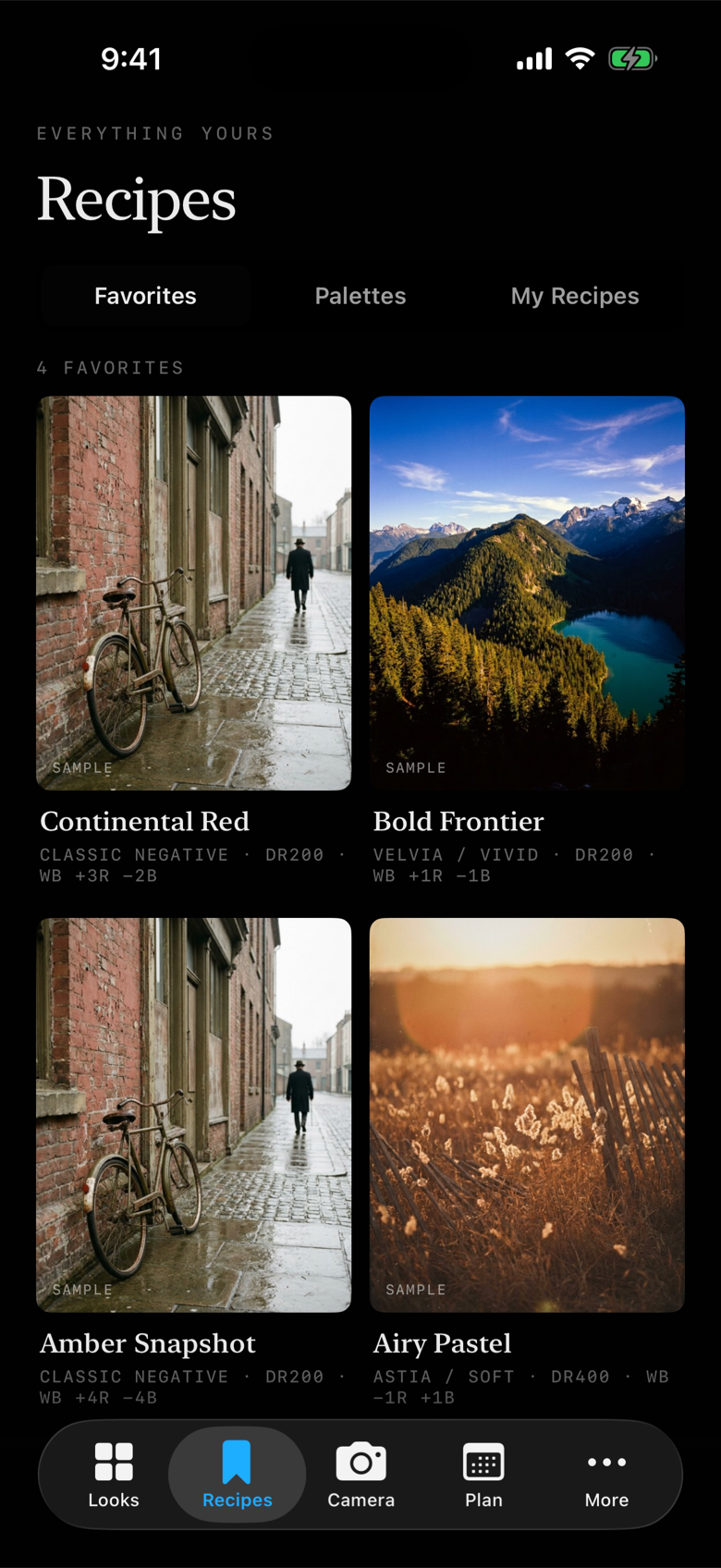
Everything you keep is organized by use, not acquisition: My Recipes holds what you created, imported, and saved from the library, with chips to narrow it; Film Palettes are the seven-recipe sets you build around a shoot and load into the camera together. Creation and tuning cover the full recipe: film simulation, white balance shift, tone, color, grain, clarity.
- Unlimited saves and unlimited creation
- Film Palettes: up to seven recipes, built for a shoot
- Import from your own Fuji JPEGs, from a written recipe by photo, or from a share code
Seven slots, loaded from your phone.
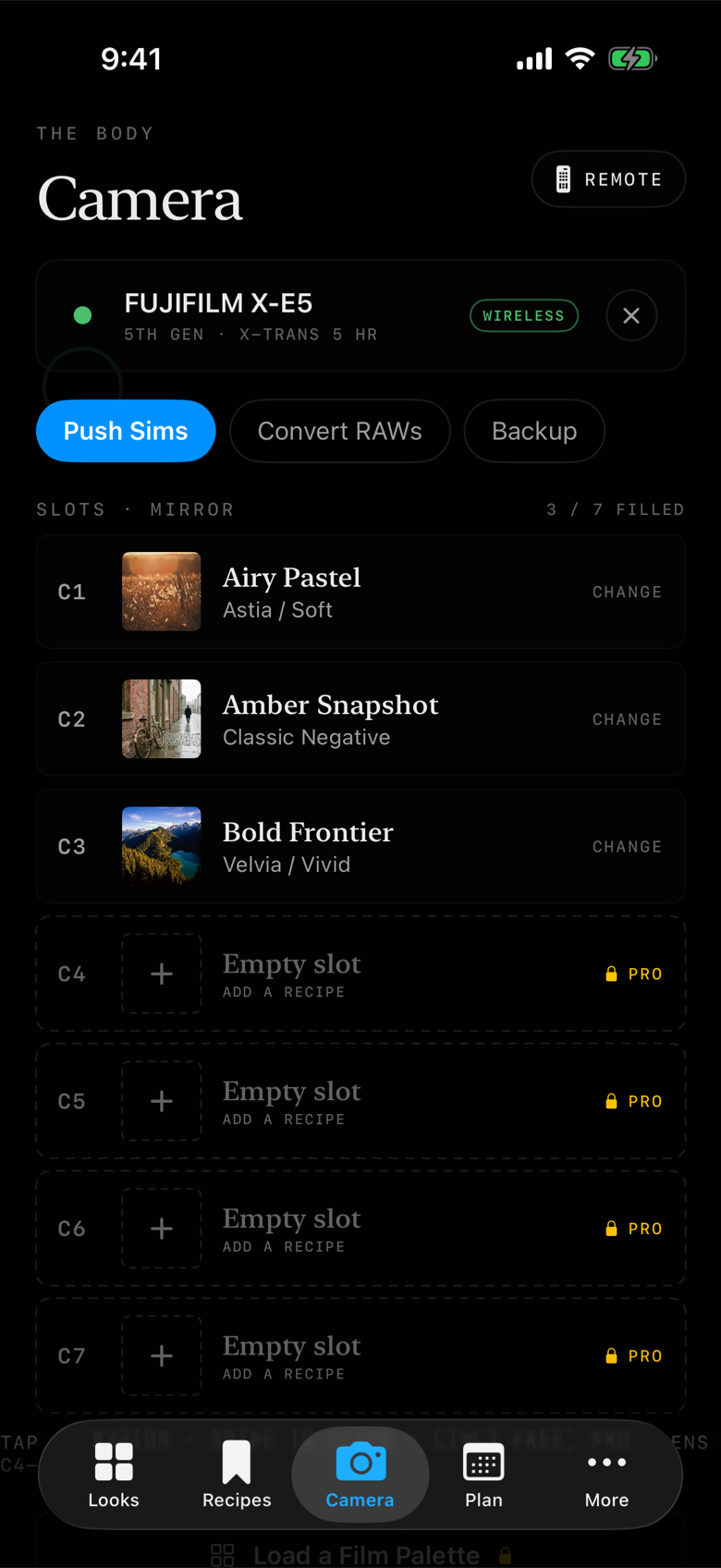
Connect the body and Huginn mirrors what is sitting in C1 to C7. Push a recipe into a slot, convert RAFs through the camera's own engine, and back the camera up before you change anything. Wireless push, whole-Palette push, and the full render workflow are the heart of Huginn Pro.
- A live mirror of the camera's custom slots
- Convert RAWs: one frame through the recipes you select, rendered by the camera itself
- Camera backup and restore, so no experiment is one-way
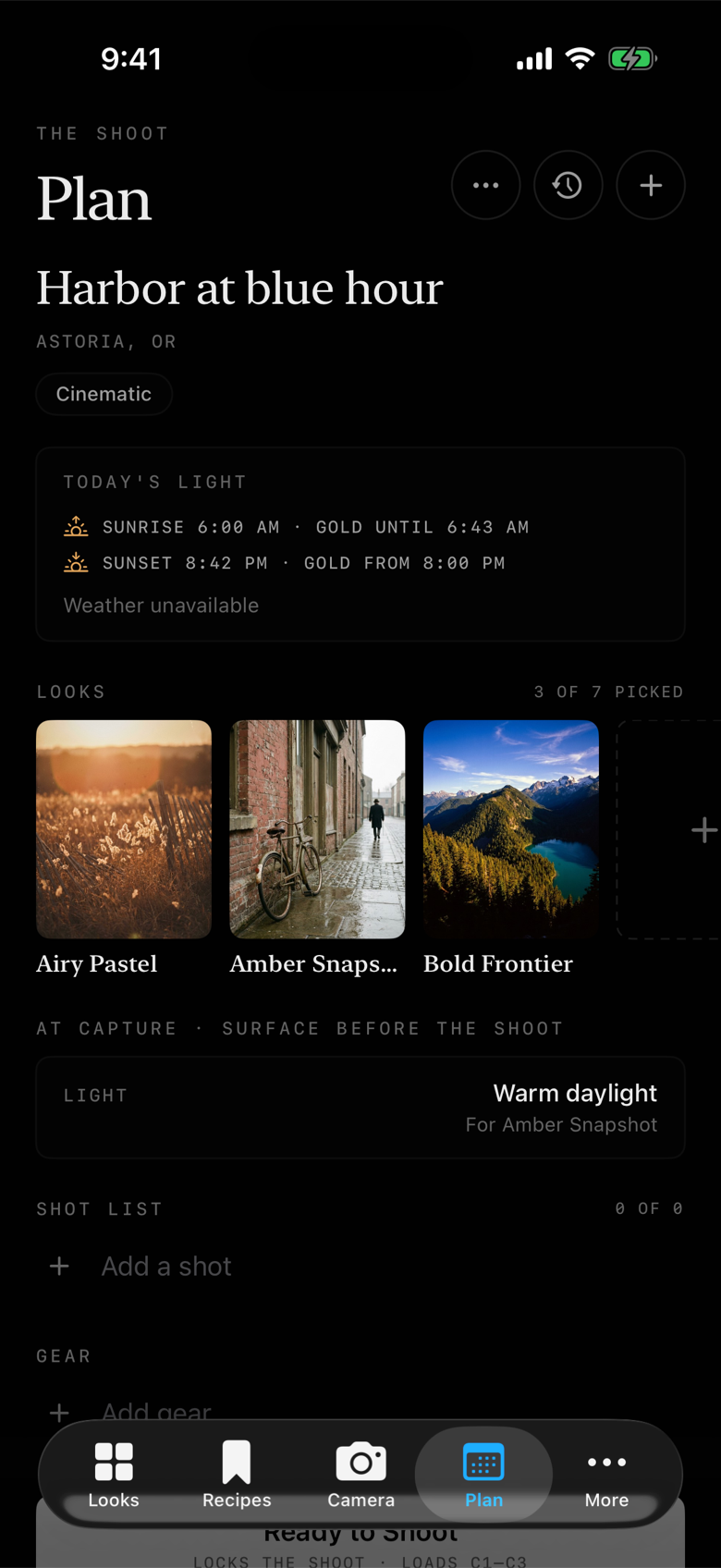
Walk in knowing what each frame needs.
Name the shoot, drop a location, and Huginn lays out the light: sunrise, sunset, and the golden hours between. Pick up to seven looks, and the plan surfaces what must be decided at capture, like the light a recipe was built for, before you raise the camera.
- Sunrise, sunset, and golden hour for the place you are shooting
- Up to seven looks per shoot, with at-capture reminders
- Shot list and gear list, then Ready to Shoot hands the looks to the camera
The quiet parts, done properly.
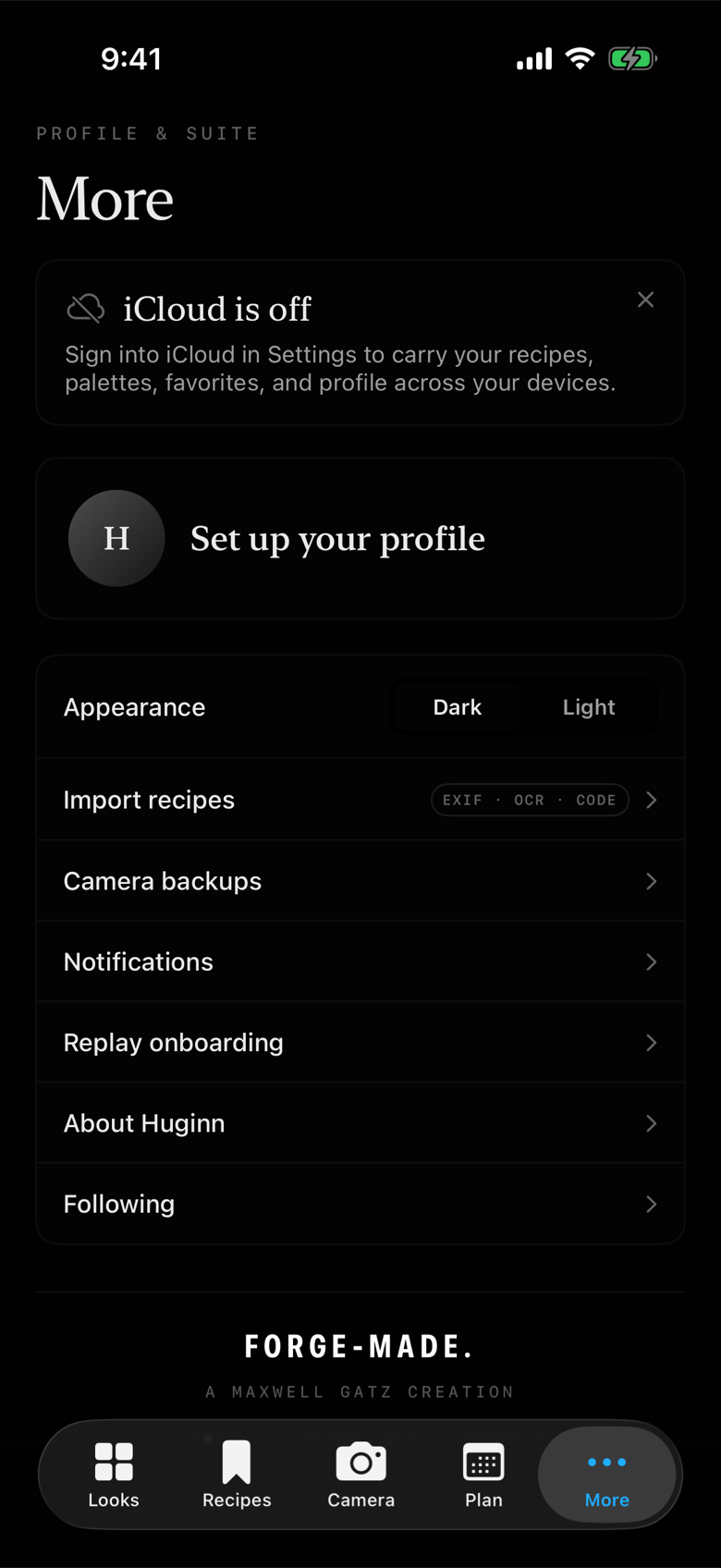
Your profile, your imports, your backups, and your library everywhere you are. Huginn syncs recipes, palettes, saves, and your profile through iCloud with no account and no sign-in, so a second device is just your library again.
- Recipe import: EXIF from Fuji JPEGs, OCR from written recipes, share codes
- Camera backups kept with history
- iCloud sync with no sign-in, across iPhone and iPad